
The Complete Guide to Nagad Deposits for Online Gaming in Bangladesh
অফিশিয়াল প্রসেস টাইমলাইন
Operating under the authority of the Bangladesh Post Office, Nagad has rapidly established itself as one of the most dynamic and cost-effective mobile financial services in the nation. Known for its streamlined account onboarding via digital national identity verification and competitive service charges, Nagad is a favored payment option for online gaming enthusiasts. Depositing Bangladeshi Taka (BDT) via Nagad ensures swift balance crediting, high transaction reliability during evening peak hours, and straightforward transaction tracking.
However, executing online entertainment deposits safely requires strict adherence to digital security protocols and proper transaction formatting. Overlooking simple procedures—such as writing prohibited terms in reference notes, miscopying alphanumeric transaction identifiers, or transferring funds to outdated platform numbers—can delay your gaming experience. This comprehensive manual provides an exhaustive walkthrough of depositing funds via Nagad, explains technical verification systems, details limit parameters, and provides essential security guidance.
Transaction Parameters and Limits Overview
Understanding the operational boundaries of Nagad deposits allows you to plan your gaming sessions without unexpected banking rejections.
| Transaction Parameter | Official Standard Specification |
|---|---|
| Minimum Single Deposit | BDT 500 |
| Maximum Single Deposit | BDT 25,000 - BDT 30,000 |
| Daily Account Transfer Limit | BDT 50,000 (Per Bangladesh Bank) |
| Monthly Account Transfer Limit | BDT 300,000 (Standard Personal) |
| Average Processing Speed | 3 to 10 Minutes |
| Platform Transaction Fee | 0% (Completely Free) |
| Verification Mechanism | 8-to-10 Character Alphanumeric ID |
These regulatory boundaries apply to standard, verified personal Nagad accounts. If you anticipate exceeding these limits during high-stakes sessions, consider upgrading your account tier via the VIP Club or utilizing USDT Cryptocurrency Transfers.
Understanding Nagad Transfer Types: Cash Out vs Send Money
A frequent cause of transaction failures among new users is selecting the wrong operational command in the Nagad mobile application.
| Transfer Option | Recipient Account Type | Specific Application Requirement |
|---|---|---|
| Cash Out | Nagad Agent Number | Used when cashier specifies Agent |
| Send Money | Personal Nagad Wallet | Used when cashier specifies Personal |
| Merchant Pay | Commercial Outlet | Used during direct QR checkouts |
When you open the deposit screen on DarazPlay, the portal specifies whether the active receiving wallet is an Agent Account or a Personal Account.
- If the system indicates an Agent Account, tap Cash Out on your Nagad app home screen.
- If the system indicates a Personal Account, tap Send Money. Attempting to send money to an agent number or vice versa will cause the Nagad telecom server to reject the transfer immediately.
Step-by-Step Walkthrough: Executing a Nagad Deposit
Follow this verified five-step sequence to ensure that your deposit credits to your gaming balance automatically within minutes.
The 5-Step Nagad Deposit Flow
Step 1: Open Cashier --> Navigate to Deposit > Select "Nagad" Step 2: Copy Active Number --> Note current recipient wallet and type Step 3: Open Nagad App --> Execute Cash Out or Send Money transfer Step 4: Record TrxID --> Copy the alphanumeric ID from confirmation Step 5: Submit Verification--> Input sender number, sum & TrxID on site
Accessing the Cashier and Selecting Nagad
Log in to your account from any desktop browser or the DarazPlay Mobile App. Navigate to the top navigation bar and click the "Deposit" icon. Select Nagad from the list of available financial gateways.
Retrieving the Dynamic Receiving Number
The platform will display the currently active Nagad wallet number along with the designated transfer type (Agent or Personal).
- Critical Security Warning: Platform deposit numbers rotate continuously to manage liquidity flows across the banking network. Never save a Nagad number in your smartphone contacts to reuse later. Always copy the freshly generated number displayed on the active cashier screen.
Completing the Transfer via the Nagad App
Launch your Nagad smartphone application:
- Tap Cash Out or Send Money according to the instruction on the cashier screen.
- Paste the platform receiving number into the recipient box.
- Enter the exact sum in Bangladeshi Taka that you wish to deposit.
- Input your secret 4-digit Nagad PIN to authorize the payment.
- Tap and hold the confirmation area at the bottom of the screen to complete the transfer.
Securing the Unique Transaction ID (TrxID)
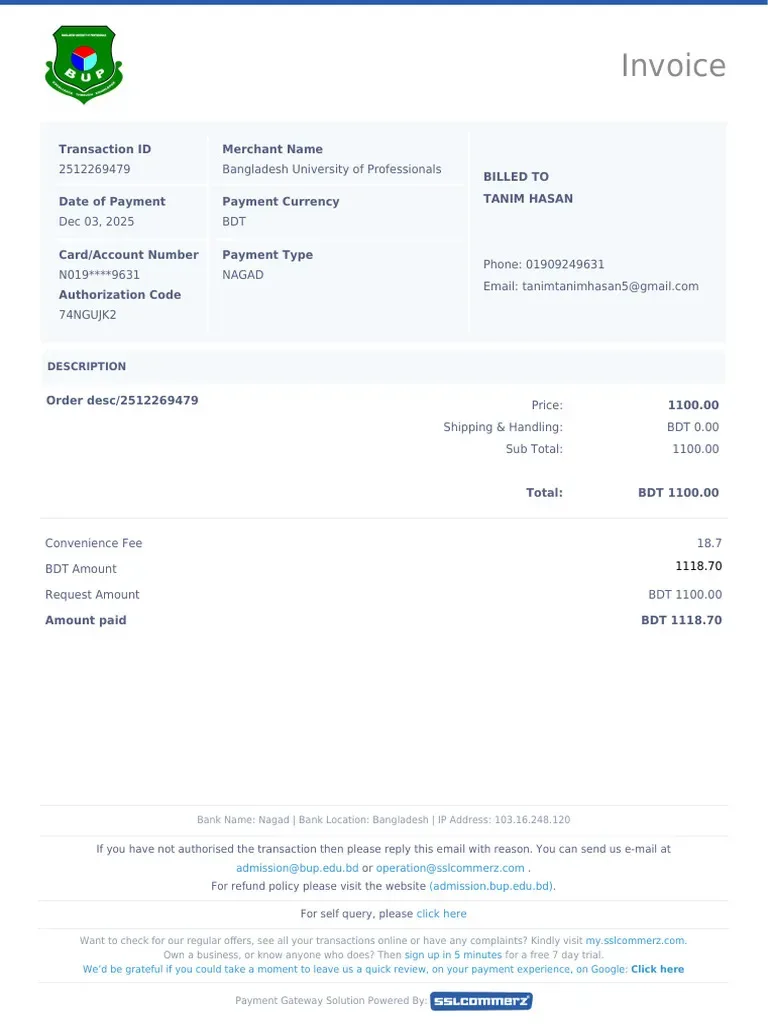
Once the transaction processes, Nagad will present a digital transaction receipt and deliver an automated SMS to your mobile phone.
- Locate the field labeled TrxID (a unique alphanumeric sequence such as
7B9K4M2X). - Copy or write down this identifier accurately. The TrxID is your cryptographic receipt, allowing the automated payment system to verify your payment against incoming banking feeds.
Submitting the Verification Form
Return immediately to the open DarazPlay cashier window:
- Confirm the exact deposit amount in BDT.
- Type the personal Nagad mobile number from which the transfer originated.
- Paste the 8-to-10 character TrxID into the designated verification box.
- Click Submit Deposit.
Under standard operational conditions, the automated matching engine reconciles your TrxID within two to five minutes, immediately updating your playable balance.
Essential Security Protocols: Protecting Your Mobile Wallet
Preserving the security of your personal financial accounts is paramount. Adhering to the following security guidelines protects your funds and ensures compliance with mobile banking standards.
| Security Guideline | Mandatory User Action |
|---|---|
| Blank Reference Note | Strictly leave the "Reference" / "Note" field empty |
| Verified Personal Account | Transact exclusively from a Nagad wallet registered |
| under your own national identity card (NID). | |
| Secure Network Access | Transact via private mobile data (4G/5G) rather |
| than unsecured public Wi-Fi networks. | |
| Secret PIN Confidentiality | Never disclose your 4-digit Nagad PIN to anyone. |
The Strict Reference Note Policy
During the transfer process, the Nagad app offers an optional "Reference" text box.
- Never enter sensitive sensitive terms such as "casino," "DarazPlay," "gambling," "bet," or "cricket" in this field.
- Telecommunications providers and financial compliance units monitor sensitive term logs using automated detection software. Typing gambling-related terms can lead to automated account freezes and regulatory inquiries.
- Leave this field entirely blank, or input a neutral numeric order code if required.
Personal Wallet Verification
Always execute deposits from a personal Nagad account registered under your own legal name matching your gaming profile.
- Third-party transfers—such as asking a neighborhood retail shopkeeper to send money on your behalf—frequently fail automated gateway checks.
- When an unregistered number transfers funds, the automated engine cannot match the transaction to your player identity, requiring manual human review that delays your deposit.
Troubleshooting Delayed Nagad Deposits
While the majority of Nagad transactions credit instantaneously, network congestion or input errors can occasionally cause delays.
| Problem Observed | Primary Root Cause | Corrective Procedure |
|---|---|---|
| Funds not credited in 15m | Typo in TrxID input | Cross-check TrxID in app |
| Nagad transfer rejected | Daily limit exceeded | Check account limit status |
| Money debited, no record | Network server lag | Reach out to 24/7 Support |
Step-by-Step Resolution Workflow
If fifteen minutes have passed and your deposit has not reflected in your account:
- Open the Nagad application, navigate to the History / Transactions tab, and confirm that the funds were debited successfully.
- Verify that you entered the TrxID correctly. Alphanumeric strings can be easily misread (e.g., mistaking the number "8" for the letter "B", or the number "0" for the letter "D").
- Launch the 24/7 Customer Care Live Chat on the website.
- Provide the support specialist with:
- Your registered platform username
- Exact BDT deposit amount
- Sender Nagad mobile number
- The complete TrxID
- A screenshot of the Nagad digital transaction slip
- A support representative will manually verify the payment on the internal ledger and credit your balance within minutes.
Frequently Asked Questions
Can I deposit using Nagad USSD (*167#) without a smartphone?
Yes. You can dial *167# on any mobile handset to execute Cash Out or Send Money transfers through Nagad's USSD menu. Once the transfer completes, you will receive an official SMS containing the TrxID, which you can then enter into the cashier portal using any web browser.
Are there any fees charged on Nagad deposits?
DarazPlay charges 0% commission on deposits. However, standard telecom network fees (such as Nagad's app-based Cash Out charge of approximately 1.25% or USSD charge of 1.49%) are deducted directly from your mobile wallet by the operator.
What should I do if the cashier Nagad number says "Account Limit Reached"?
If a receiving number has reached its daily regulatory transfer limit, simply return to the cashier page and refresh it. The system will automatically generate a fresh, active receiving number with available capacity.
Can I withdraw my winnings directly to my Nagad wallet?
Yes. Nagad is fully supported for cashouts. Simply navigate to the Withdrawal tab, select Nagad, enter your personal mobile number, and submit your request. For detailed instructions, consult our Nagad Withdrawal Guide.
What happens if I accidentally send money to an old platform number?
If you mistakenly transferred funds to an old number that was previously displayed in the cashier, contact Customer Care immediately with your TrxID and transfer proof. Our financial operations team will coordinate with payment aggregators to locate and credit your funds.
Related Guides and Resources
- Payments Directory Hub - Master directory of all supported payment methods, limits, and processing times.
- Nagad Withdrawal Guide - Step-by-step cashout walkthrough for Nagad users.
- bKash Deposit Walkthrough - Complete funding instructions using Bangladesh's leading MFS.
- Fast Withdrawal Optimization - Proven methods for achieving rapid cashouts.
- Responsible Gaming Hub - Tools for setting deposit boundaries, session limits, and reality checks.
Frequently Asked Questions
Yes. You can dial `*167#` on any mobile handset to execute Cash Out or Send Money transfers through Nagad's USSD menu. Once the transfer completes, you will receive an official SMS containing the TrxID, which you can then enter into the cashier portal using any web browser.
DarazPlay charges 0% commission on deposits. However, standard telecom network fees (such as Nagad's app-based Cash Out charge of approximately 1.25% or USSD charge of 1.49%) are deducted directly from your mobile wallet by the operator.
If a receiving number has reached its daily regulatory transfer limit, simply return to the cashier page and refresh it. The system will automatically generate a fresh, active receiving number with available capacity.
Yes. Nagad is fully supported for cashouts. Simply navigate to the Withdrawal tab, select Nagad, enter your personal mobile number, and submit your request. For detailed instructions, consult our [Nagad Withdrawal Guide](/payments/nagad-withdrawal.md).
If you mistakenly transferred funds to an old number that was previously displayed in the cashier, contact Customer Care immediately with your TrxID and transfer proof. Our financial operations team will coordinate with payment aggregators to locate and credit your funds. ---